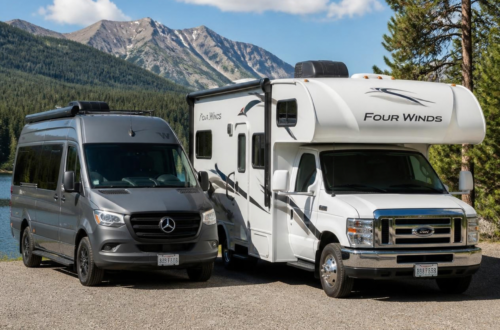
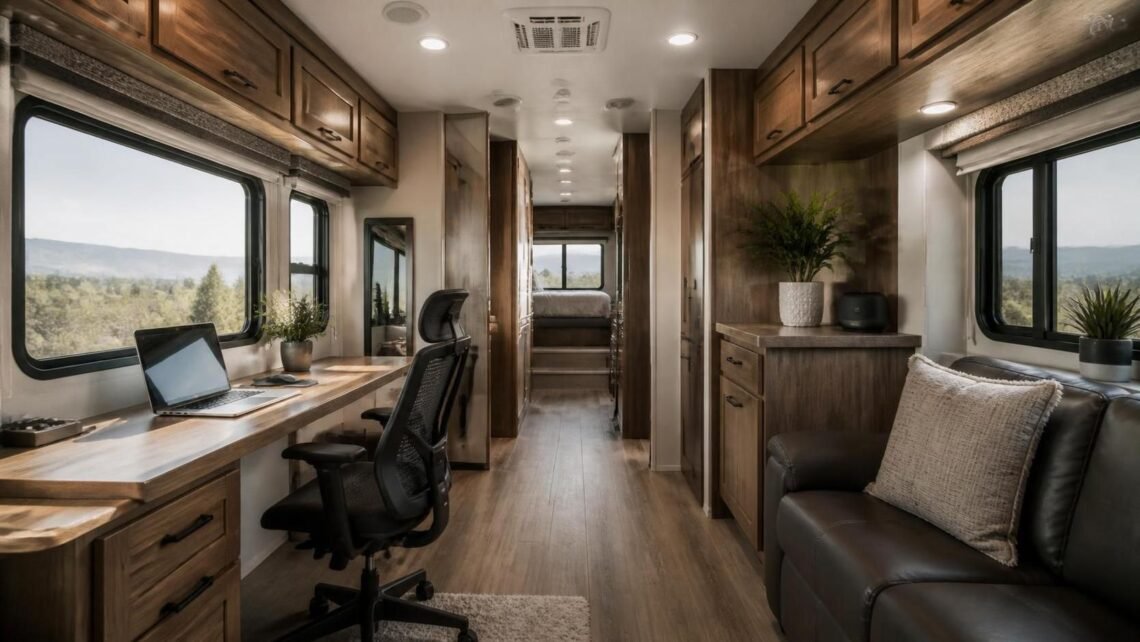
Work from anywhere without giving up the comfort, organization, or routine of a professional office
A comfortable, organized mobile office can turn a fifth wheel into a productive remote-work environment.
The idea of working from a fifth wheel has become increasingly appealing to remote employees, freelancers, entrepreneurs, and travelers who want more freedom without sacrificing productivity. A fifth wheel offers something many other RVs do not: generous interior space, residential-style features, multiple rooms, and enough storage to create a dedicated office that feels comfortable for long-term use.
However, turning a fifth wheel into a reliable mobile office takes more than placing a laptop on the kitchen table. The best workspace should support your posture, protect your equipment, provide dependable internet, reduce distractions, and blend naturally into the RV’s limited floor plan
With thoughtful planning, even a compact fifth wheel can become a professional, comfortable, and attractive place to work. Whether you are traveling full time or using your RV for extended trips, here is how to create a mobile office that works as well on the road as it does at home.
Table of Contents
Choose the Right Location
The first decision is where your office will go. Many fifth wheels include a rear living room, front bedroom, kitchen island, or built-in desk area. Each location has advantages and drawbacks, so consider how you work before choosing a permanent setup.
A rear living room can provide plenty of space, especially if the RV has theater seating or a large sofa that is rarely used during the day. You may be able to place a desk along the back wall or near a window. This arrangement can create a dedicated office zone without making major changes to the RV.
The bedroom may offer more privacy, but space can be limited. A small desk or wall-mounted workstation might fit beside the bed, although this option is best for people who need only one monitor and a laptop. Working in the bedroom can also make it more difficult to separate work from rest.
A kitchen island or dining table is convenient, but it is usually better as a temporary workstation than a permanent one. These surfaces are often needed for meals and may not provide enough room for proper seating or equipment. If you use one regularly, consider adding a removable monitor stand, a supportive chair, and a storage system that allows everything to be cleared away quickly.
When selecting the location, look for an area with:
- Enough room for your chair and legs
- A nearby electrical outlet
- Reliable cellular reception or Wi-Fi access
- Good natural or adjustable lighting
- Minimal foot traffic
- A comfortable view that does not create screen glare
The best office location is not necessarily the largest one. It is the space that allows you to work consistently without interfering with the rest of the RV.
Prioritize Ergonomics
A good looking office is not necessarily a comfortable office. Since you may spend several hours at your desk each day, ergonomics should be one of your top priorities.
Start with the chair. RV furniture is often designed for relaxation rather than extended computer work. A supportive office chair with adjustable height, lumbar support, and armrests can make a significant difference. Before going out and buying one, measure where it is going to be carefully. A full-size chair may be comfortable but difficult to move around in a narrow hallway.
Your desk should be high enough to allow your forearms to rest comfortably while typing. Your shoulders need to stay loose, and your elbows should be near your body. If the desk height cannot be adjusted, a keyboard tray, laptop stand, or footrest may help improve your position
A laptop placed flat on a desk often forces you to look downward. Raising the screen to eye level with a laptop stand can reduce neck strain. If you use an external keyboard and mouse, you can keep your laptop at a comfortable viewing height while maintaining a more natural typing position
A practical workstation may include:
- An adjustable office chair
- A laptop stand or monitor arm
- An external keyboard and mouse
- A compact footrest
- A desk mat
- A small cushion or lumbar support
- An adjustable task lamp
These additions do not need to make the office look industrial. Many compact ergonomic products are available in neutral colors and slim designs that fit naturally into a fifth-wheel interior.
Select a Desk That Fits the RV
A traditional office desk may be too deep or heavy for a fifth wheel. Instead, search for furniture that is made to fit the size of your RV.
A wall-mounted desk can save floor space and provide a clean, built-in appearance. Fold-down desks are especially useful if the office must serve another purpose when you are not working. When choosing a wall-mounted option, make sure it is securely attached to structural framing rather than only thin paneling.
A narrow console table can also work well. Look for a model that is approximately 18 to 24 inches deep, depending on your equipment. This may be enough space for a laptop, monitor, keyboard, and a few small accessories without crowding the room.
If you prefer a custom solution, consider building a desk that fits between two walls or beneath a window. Lightweight plywood, butcher block, or laminated furniture board can create a durable work surface without adding unnecessary weight. Rounded corners are particularly helpful in an RV because they reduce the chance of bumps and injuries in a small space.
Avoid filling the entire surface with equipment. Leave enough room for writing, reviewing documents, or placing a notebook and cup of coffee. A workspace that feels crowded can become distracting and difficult to maintain.
Build a Reliable Internet Setup
A mobile office is only as useful as its internet connection. Campground Wi-Fi can be unreliable, congested, or unavailable, so remote workers should plan for more than one way to get online. You can read more on internet connections in this article here.
A cellular hotspot is a good starting point. Depending on your location, you may be able to connect through a phone, dedicated hotspot, or cellular router. A dedicated router can provide better coverage inside the RV and allow multiple devices to connect without constantly using your phone.
If you travel frequently, consider using equipment that supports more than one cellular network. Different carriers perform better in different regions, and having a backup connection can prevent a poor signal from interrupting an important meeting.
An external antenna may improve reception in areas with a weak signal. Some RV owners install roof-mounted antennas, while others use portable directional antennas that can be positioned at a campsite. Before buying equipment, check that it is compatible with your router and cellular provider.
For especially important work, create a backup plan. This might include:
- A second cellular provider
- A nearby library or coworking space
- A portable hotspot
- Downloaded files that can be accessed offline
- A battery bank for short power interruptions
Test your connection before scheduling video calls. Run a speed test at different times of day, since campground networks and cellular towers can become slower during busy periods.
Plan Your Power System
Laptops are relatively easy to power, but monitors, printers, lights, routers, and other equipment can quickly increase your electrical needs. A mobile office should be designed around the fifth wheel’s existing electrical system
Begin by listing the devices you use each day and estimating how much power they require. A laptop and small monitor may be manageable with shore power, a generator, or a battery system. If you work primarily from boondocking locations, you may need additional solar capacity, batteries, or an inverter. You can find more on power requirements here.
Use surge protection designed for RVs to protect your electronics from unstable campground power. A quality power management system can help monitor voltage and reduce the risk of damage.
Cable management is equally important. Loose cords can make a small office look messy and create tripping hazards. Use adhesive cable clips, Velcro ties, cable sleeves, and under-desk trays to keep cords organized. Leave enough slack for adjustments, but avoid allowing cables to hang into walkways.
A small charging station can keep phones, earbuds, smartwatches, and other accessories together. If possible, place it near the desk but away from your main work surface.
Make Lighting Work for You
Lighting affects comfort, focus, and video-call quality. Natural light is pleasant, but a desk positioned directly in front of a bright window can cause glare and make it difficult for others to see you during video meetings.
The ideal setup places a window to the side of your desk. This provides natural illumination without shining directly onto your screen. If your desk faces a window, use shades or curtains to control brightness.
Add a task lamp with adjustable brightness and color temperature. A warm setting may be comfortable in the evening, while a cooler setting can help the workspace feel brighter during the day. A small LED light behind your monitor can also reduce eye strain by creating soft background illumination
If you attend video meetings, consider how the space appears behind you. A clean wall, attractive cabinet, or small plant can create a professional background. Avoid placing your camera directly toward a cluttered kitchen, open storage area, or busy walkway.
Use Smart Storage Solutions
Storage is one of the biggest challenges in an RV office. Standard office supplies can take up valuable space, so every item should have a purpose and a designated location.
Use vertical space whenever possible. Floating shelves, pegboards, narrow bookcases, and wall-mounted organizers can hold notebooks, headphones, chargers, and small office supplies without taking over the desk.
A rolling cart can provide flexible storage. It can sit beside the desk during the workday and move into a closet or corner when the space needs to be used for another purpose. Bins with labels can help keep cables, paperwork, and equipment easy to find.
Digital organization is also important. Instead of storing large amounts of paper, scan documents and use cloud storage or an external solid-state drive. Keep essential files available offline in case your connection becomes unreliable.
For valuable equipment, consider how it will be secured during travel. Monitors and laptops should not be left loose on a desk while the fifth wheel is moving. Use padded cases, locking drawers, or designated storage compartments to protect electronics from vibration.
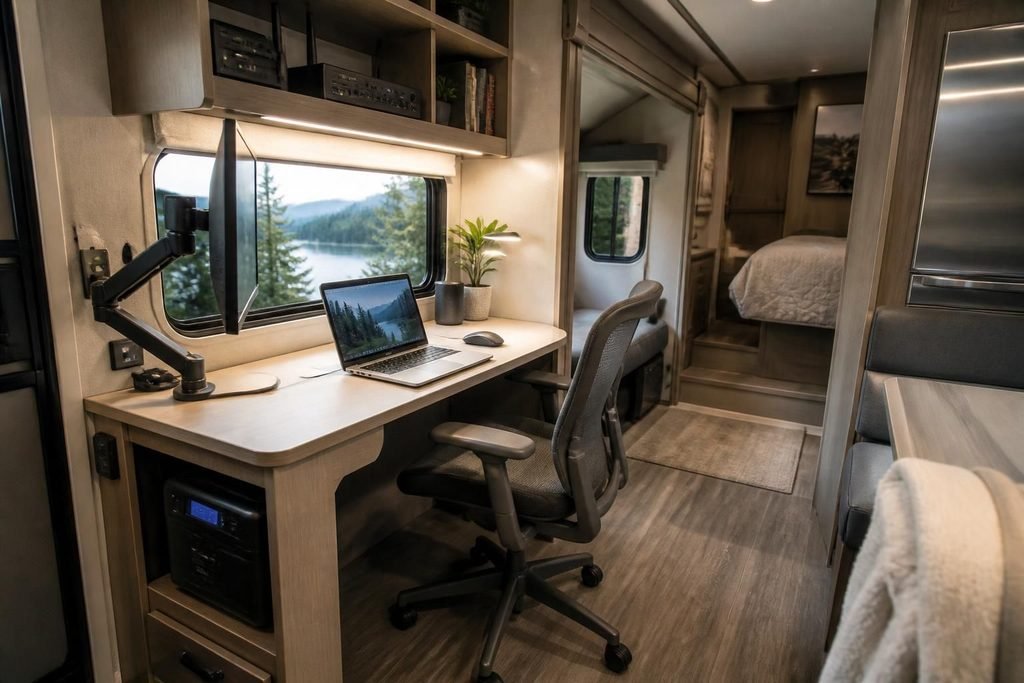
Compact equipment and organized storage help maximize productivity in a limited RV floor plan.
Create a Professional Atmosphere
Your office should feel distinct from the rest of the RV, even if it occupies only one corner. Small design choices can make the space feel intentional.
Choose a simple color palette that complements the RV interior. Wood accents, neutral fabric, and a few plants can make the area feel warm without adding clutter. A framed print, small corkboard, or decorative lamp can personalize the office while keeping it professional.
Plants are especially useful in a mobile office. Choose compact varieties that tolerate changing light conditions, or use realistic artificial plants if you travel frequently. A small rug can define the workspace, although it should not interfere with chair movement or create a tripping hazard.
Noise control may require additional planning. Air conditioners, refrigerators, campground activity, and other people inside the RV can make concentration difficult. Noise-canceling headphones can help during focused work or video meetings. Soft furnishings, curtains, and rugs may also reduce echoes.
Establish Boundaries and a Routine
One of the greatest benefits of a mobile office is flexibility, but flexibility can become a problem if work follows you everywhere. Establishing a routine helps create a clear separation between professional and personal time.
Whenever possible, begin and end work at consistent times. At the end of the day, close the laptop, put away accessories, and leave the office area. If your desk serves multiple purposes, use a storage bin or cabinet to hide work equipment until the next morning.
Let travel days, sightseeing, and workdays have different expectations. You may not be able to maintain the same schedule when changing locations, but planning ahead can help. Download important files, notify coworkers about travel days, and avoid scheduling critical meetings during setup or driving periods.
If you share the fifth wheel with another person, discuss quiet hours and meeting schedules. Headphones, a simple office sign, or a shared calendar can reduce interruptions and misunderstandings.
Prepare for Life on the Road
A mobile office must be able to handle movement, weather, and changing campsite conditions. Before relocating the fifth wheel, secure every loose item. Store laptops, monitors, lamps, and office supplies in padded or enclosed areas.
Keep important equipment away from windows where condensation, heat, or direct sunlight could cause damage. During extreme weather, monitor indoor temperature and humidity, especially if electronics remain inside the RV while you are away.
It is also wise to maintain backups of important work files. Use cloud storage along with a physical backup drive, and protect your accounts with strong passwords and multifactor authentication. These basic precautions are valuable anywhere, but they become especially important when your office is constantly moving.
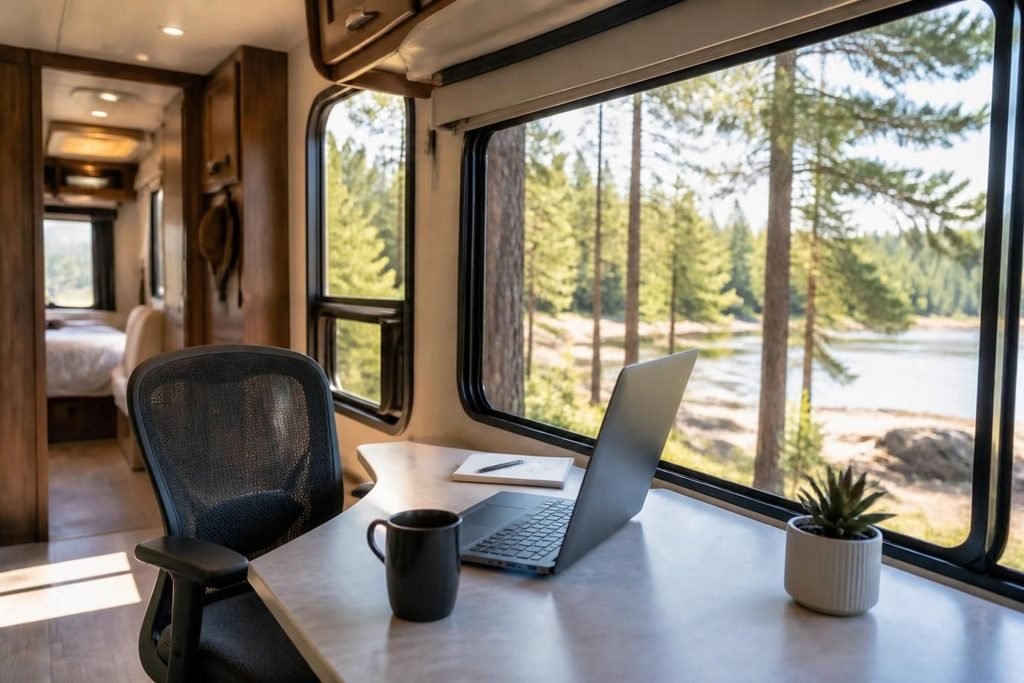
An inviting fifth-wheel office can provide a calm and productive setting while traveling.
Frequently Asked Questions
Can I create a mobile office in any fifth wheel?
Most fifth wheels can accommodate some type of mobile office, although the size and style of the workspace will vary. Larger fifth wheels may have room for a dedicated desk, while smaller models may require a fold-down table, compact console, or convertible dining area.
What is the best place for an office in a fifth wheel?
The best location depends on your floor plan and work habits. A rear living area often provides the most space, while a bedroom or built-in desk may offer more privacy. Choose an area with good lighting, access to power, dependable internet reception, and minimal foot traffic.
How can I get reliable internet while working from an RV?
A cellular hotspot or dedicated cellular router is usually more dependable than campground Wi-Fi. Many remote workers use a primary connection along with a backup provider or hotspot. An external antenna may also improve reception in areas with weak cellular service.
Do I need a full-size office chair?
You do not necessarily need a full-size chair, but you should choose a seat that provides proper back support and allows your feet to rest comfortably on the floor. Measure the available space before buying, and consider a compact ergonomic chair designed for smaller rooms.
How do I protect office equipment while traveling?
Before moving the fifth wheel, secure laptops, monitors, lamps, and other loose items in padded cases, cabinets, or drawers. Use cable ties to prevent cords from tangling, and avoid leaving heavy equipment on a desk where it could fall or shift during travel.
Can solar power run a mobile office?
Solar power may be able to run a mobile office, but the answer depends on your equipment and daily energy usage. A laptop requires considerably less power than a desktop computer, multiple monitors, or a printer. Calculate your daily power needs before upgrading your solar panels, batteries, or inverter.
How can I reduce distractions inside the fifth wheel?
Create a defined office area and establish consistent work hours. Noise-canceling headphones, a door or room divider, and clear communication with travel companions can also help. If possible, schedule important meetings during quieter times of the day.
What desk size works best in a fifth wheel?
A desk that is approximately 18 to 24 inches deep is often enough for a laptop, monitor, keyboard, and basic accessories. Measure the available area carefully and leave enough room for your chair, leg movement, and access to nearby walkways.
How do I keep the office organized?
Assign every item a storage location and use vertical space whenever possible. Wall-mounted shelves, labeled bins, cable organizers, and a small rolling cart can keep supplies accessible without overcrowding the work surface. At the end of each workday, return equipment to its designated place.
Is it comfortable to work full time from a fifth wheel?
It can be very comfortable when the office is designed around proper ergonomics, reliable connectivity, sufficient power, and a consistent routine. The key is to create a workspace that supports your daily work rather than relying on temporary arrangements such as working from a couch or bed.
Final Thoughts
Creating a mobile office in a fifth wheel is an investment in freedom, productivity, and comfort. The most successful setups are not always the most expensive or elaborate. They are the ones that match the owner’s work habits, available space, travel style, and connectivity needs.
Start with the essentials: a supportive chair, a properly sized desk, dependable internet, safe power, and enough lighting. From there, add storage, décor, and technology based on what genuinely improves your workday.
A fifth wheel can be more than a place to travel or relax. With careful planning, it can become a practical home base where you can answer emails, attend meetings, manage a business, or complete creative work from nearly anywhere. The goal is to create a workspace that feels stable and professional, even while the scenery changes outside your window.