Thinking about working from your RV? Want to know the best RV office setups? You’re not alone. Lots of folks are finding ways to blend their love for travel with their professional lives. The good news is, setting up a functional RV office isn’t as complicated as you might think. It’s mostly about being smart with your space and choosing the right gear. This guide will walk you through some of the best ways to create your perfect mobile workspace.
Before you start buying fancy gadgets, let’s get real about what you actually need. Your “office” is going to look different depending on your job, how much time you spend working, and the type of RV you have.
Table of Contents
What Kind of Work Will You Be Doing?
This is the big one. Are you a digital nomad glued to your laptop, taking video calls all day? Or are you doing more sporadic work, maybe just checking emails and doing some light research?
- Heavy Tech User: If you’re constantly on video calls, streaming, or running demanding software, you’ll need reliable internet, good lighting, and a stable power source. Consider your monitor setup and ergonomic needs seriously.
- Light Tech User: For those who mainly need internet access for emails, browsing, and basic document editing, your needs will be less intense. A good laptop and a portable hotspot might be all you require.
- Creative Professionals: Photographers, writers, designers – these roles often demand specific software and potentially larger screens or external hard drives. Think about storage and the speed of your processing.
- Hands-On Work: If your work involves physical materials, like crafting or repair, you’ll need a dedicated, stable surface and perhaps some organizational tools for your supplies.
Your RV Layout Matters
No two RVs are the same, and this directly impacts where and how you can set up shop.
- The Dinette Transformation: This is a classic. Many RVers simply use their dinette table as their workspace. It’s convenient, often well-lit, and easily put away. The trade-off? It might not be the most ergonomic or private setup.
- The “Dedicated” Corner: Some RVs have a small nook or a convertible sofa that can become a semi-permanent office space. This offers a bit more separation.
- Multi-Purpose Areas: You might have to get creative. Can a countertop serve as a temporary desk? Is there space by a window for a small fold-out table? Think about how you can repurpose existing furniture or areas.
- Slide-Out Benefits: If your RV has slide-outs, they often create more living space, which can translate into a more comfortable office setup. You might have more room for a small desk or a more expansive dinette table.
Essential Considerations for Any RV Office
Regardless of your specific needs, a few things are universally important for working on the road.
- Power: This is non-negotiable. You need to keep your devices charged and running. Think about your inverter, shore power, and battery capacity.
- Internet Connectivity: Your lifeline to the outside world. Reliable internet is key for most remote work.
- Ergonomics: You’ll be spending a lot of time here, so comfort and preventing strain are crucial.
- Organization: Clutter can be a productivity killer, especially in a small space.
If you’re looking to enhance your RV office setup, you might also find it beneficial to explore the essential maintenance tips for your RV’s air conditioning system. Proper AC maintenance not only ensures a comfortable working environment but also extends the lifespan of your unit. For more information, check out the related article on essential RV AC maintenance tips at this link.
Smart Workspace Solutions for Small RVs
Living and working in a compact RV means every square inch counts. The trick is to find solutions that are functional without taking up permanent real estate.
The Dinette Desk: Maximizing a Common Space
Your RV dinette is often the most obvious, and sometimes only, flat surface available. With a few tweaks, it can become a surprisingly effective workspace.
- Laptop Stand & External Keyboard/Mouse: Elevating your laptop screen to eye level is a game-changer for your neck. Pair it with an external keyboard and mouse for a more comfortable typing experience than hunched over a laptop.
- Lap Desk/Tray: If you’re working from the couch or a swivel chair, a lap desk can provide a stable surface and keep your laptop from overheating. Look for one with a padded bottom for comfort.
- Drawer/Box Organization: Keep your pens, chargers, notebooks, and other essentials in a dedicated drawer or a small box that fits neatly under the table or on a nearby shelf. This prevents things from scattering.
- Cable Management: Use Velcro straps, zip ties, or cable clips to keep your power cords and USB cables tidy. Tangled cords are an eyesore and a tripping hazard.
The Fold-Away or Wall-Mounted Desk
If the dinette isn’t ideal, consider solutions that fold out of the way when not in use.
- Folding Wall Desks: These attach to the wall and fold down when you need a workspace. When not in use, they fold up, practically disappearing. Many have built-in shelves for storage.
- Collapsible Tables: Small, portable tables can be set up when needed and stored away in a closet or under a bed. Look for lightweight, sturdy options.
- Murphy Desk: Similar to a wall-mounted desk but often more substantial, these fold down from the wall, sometimes revealing a larger workspace or even built-in shelving.
Utilizing Existing Furniture Creatively
Sometimes, the best office setup involves a clever use of what you already have.
- Sofa Nooks: If your RV has a sofa with a side table, or a corner that can accommodate a small, portable desk, this can work. Swivel chairs can also be positioned to face a window or a desk.
- Counter Space Hacks: Kitchen or bathroom counter space can be temporary office zones. Just remember to clear it completely when you’re done to avoid damage or making it unusable for its primary purpose. Consider a portable, sturdy board to lay over the counter for a more stable surface.
Dedicated Workspace Setups for Larger RVs
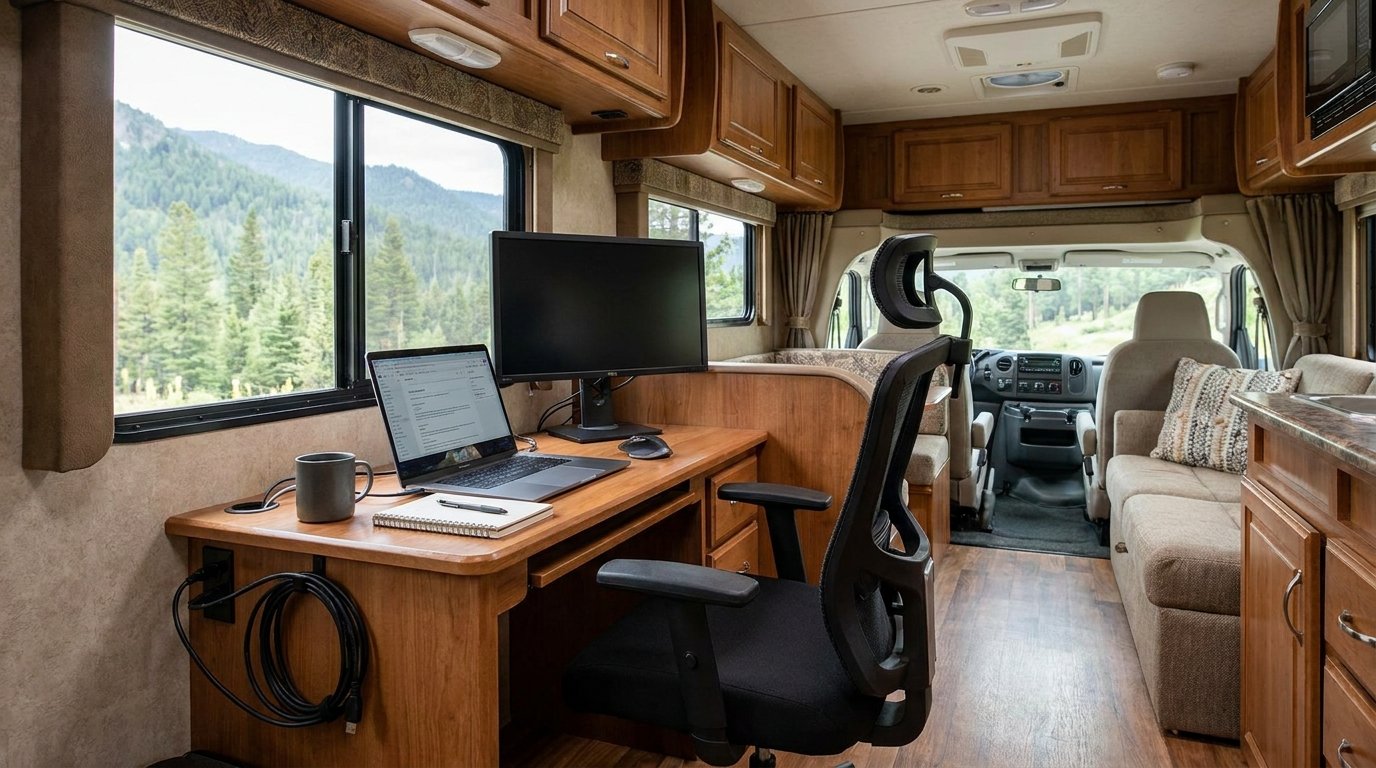
If you have a bit more space to play with, you might be able to create a more permanent or semi-permanent office area. This can significantly boost your productivity and comfort.
The “Office Nook” Conversion
Many larger RVs have areas that can be repurposed.
- The Convertible Sofa: Some RVs feature sofas that can be partially or fully converted into a desk space, often with a fold-out top.
- Alcove Transformations: If there’s an unused alcove, it can be a prime spot for a small desk, bookshelf, and even some task lighting.
- Bedroom Desk: Some RV floor plans include a small desk area in the bedroom, which can be ideal for focused work.
The Freestanding Desk Option
If your RV has the space, a small, freestanding desk can offer a dedicated workspace.
- Compact Office Desks: Look for desks specifically designed for small spaces. They often have a smaller footprint but still offer drawers and surface area.
- Corner Desks: These are great for utilizing awkward corners and maximizing space efficiency.
- Custom Built-Ins: For the ambitious DIYer, building a custom desk that perfectly fits your RV’s dimensions and your needs can be the ultimate solution.
Adding a Swivel Chair for Flexibility
A swivel chair can make a huge difference in a dedicated workspace.
- Ergonomic Support: Invest in a chair that offers good lumbar support and adjustability. You’ll be sitting for hours, so comfort is paramount.
- Maneuverability: The ability to swivel allows you to easily turn to face a window, grab something from a shelf, or even chat with a travel companion without having to get up.
- Storage: Some chairs have built-in storage, which can be a bonus in a small RV.
Essential Tech and Power Solutions for Your RV Office
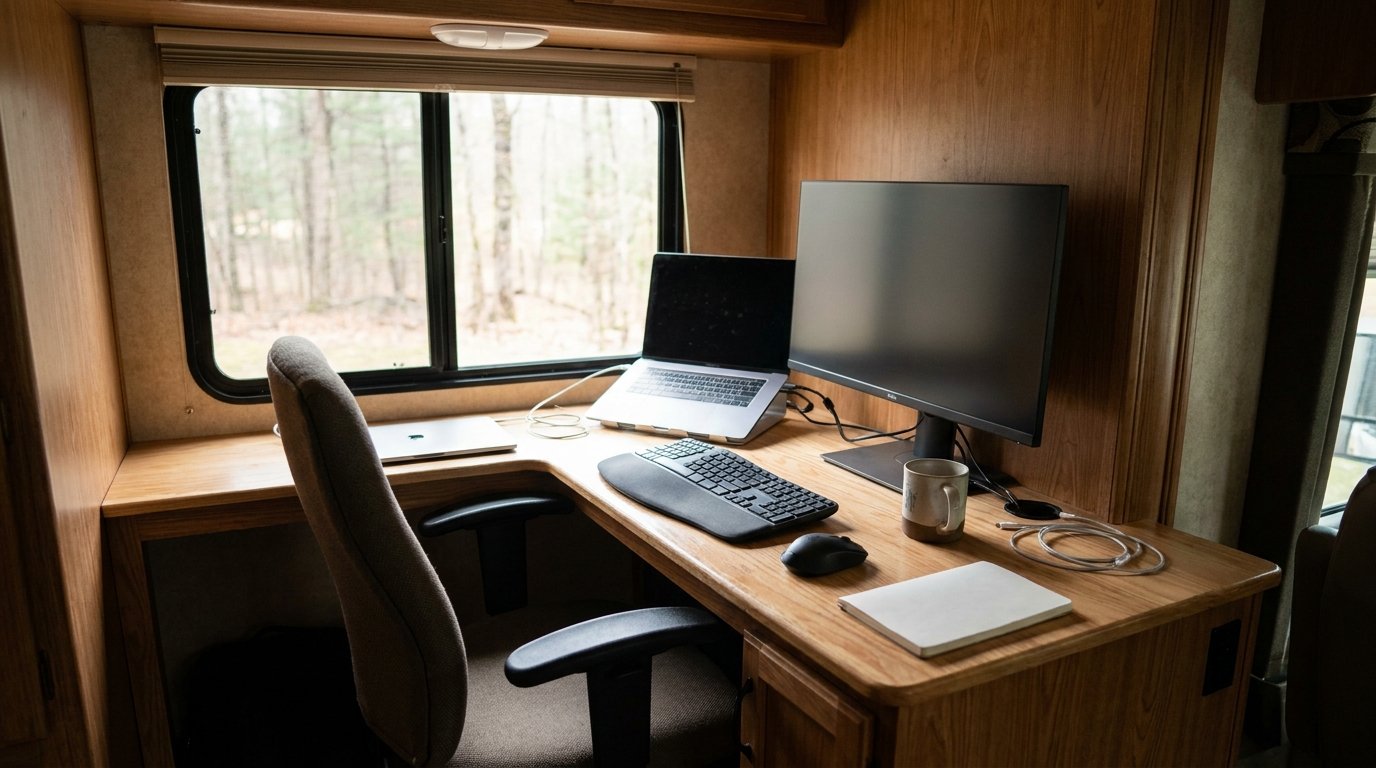
Working remotely in an RV relies heavily on reliable technology and a consistent power supply. This is where you don’t want to cut corners.
Internet Connectivity: Your Digital Lifeline
This is often the biggest hurdle for RV office setups.
- Mobile Hotspots/Cellular Boosters: A dedicated mobile hotspot or a good smartphone with a strong data plan is essential. For areas with weak signals, a cellular booster can make a significant difference. Brands like WeBoost are popular for this.
- Wi-Fi Range Extenders: If you’re often parked near campgrounds with Wi-Fi, a range extender can help you get a stronger signal in your RV.
- Satellite Internet: For truly remote work where cellular service is non-existent, satellite internet (like Starlink) is becoming an increasingly viable, albeit more expensive, option. It requires a clear view of the sky.
- Public Wi-Fi Caution: While tempting, relying solely on public Wi-Fi at cafes or libraries can be unreliable and a security risk.
Power Management: Keeping Everything Running
Your RV’s power system needs to be robust enough to handle your office needs.
- Portable Power Stations: These are like portable batteries that can power your laptop, phone, and other devices. They are great for providing extra juice without draining your RV’s main batteries. Brands like Jackery or EcoFlow are good examples.
- Inverter Upgrade: If you plan to run electronics that require AC power (like some monitors or chargers), ensure your RV’s inverter is sufficient. Consider upgrading to a pure sine wave inverter for sensitive electronics.
- Solar Panels & Battery Bank: A robust solar setup combined with a good battery bank is the ultimate solution for off-grid work. This allows you to recharge your devices and power your office without relying on hookups.
- Smart Power Strips: These can help you manage power usage, turning off devices when not in use to save energy.
Essential Tech Gear for Productivity
Beyond your computer, a few other items can make a big difference.
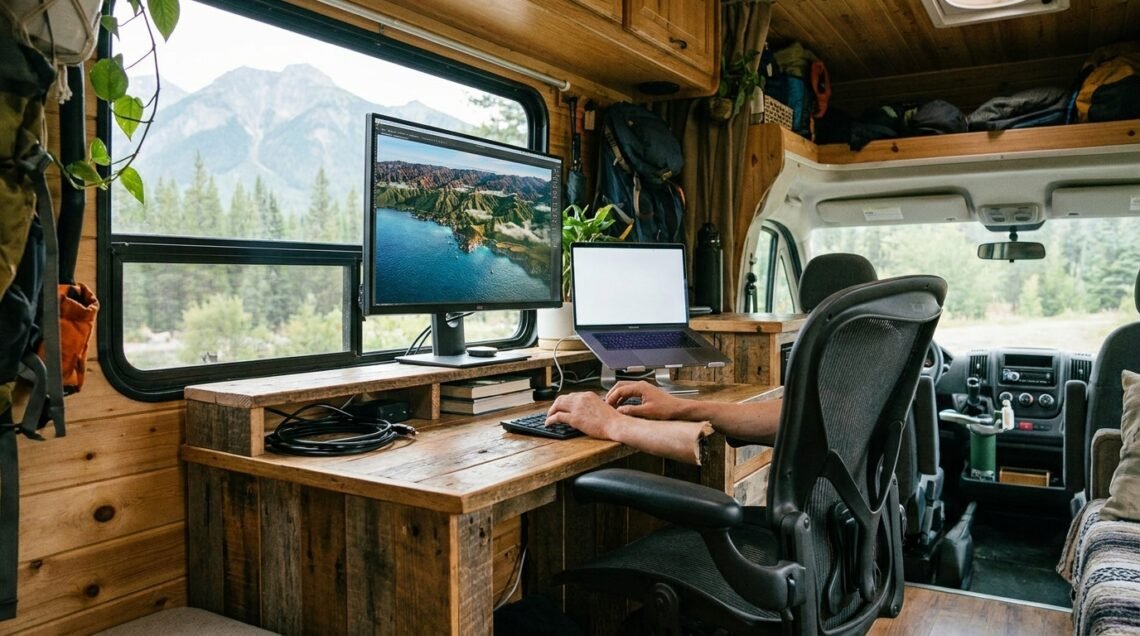
- External Monitor: For extended work sessions, an external monitor is far more ergonomic than staring at a laptop screen. Portable monitors are a great RV option as they are lightweight and can be easily stored.
- Noise-Canceling Headphones: Essential for blocking out RV noises (like generators, road noise, or fellow campers) and staying focused, especially during calls.
- Webcam and Microphone: If your laptop’s built-in webcam and mic aren’t up to par, consider investing in a good external webcam and a separate microphone for clear communication during video calls.
- Ergonomic Accessories: A portable laptop stand, an ergonomic mouse, and a comfortable keyboard can prevent strain and fatigue during long workdays.
If you’re considering the best RV office setups, it’s also essential to understand how to power your workspace efficiently while on the road. One way to achieve this is by incorporating solar energy into your RV. For more insights on this topic, you can check out the article on understanding the basics of RV solar systems, which provides valuable information on how solar power can enhance your mobile office experience.
Ergonomics and Organization: Comfort and Efficiency on the Road
| RV Office Setup | Features | Benefits |
|---|---|---|
| Standing Desk | Adjustable height, space-saving | Improves posture, increases energy |
| Portable Monitor | Lightweight, USB-powered | Enhances productivity, dual-screen setup |
| Ergonomic Chair | Compact, lumbar support | Comfortable seating, reduces back pain |
| Organizational Accessories | Drawer organizers, cable management | Maximizes space, reduces clutter |
Working from your RV requires a conscious effort to make your workspace comfortable and organized. This isn’t just about looking neat; it’s about being able to work effectively without developing aches and pains.
Creating an Ergonomic Workspace
Your body will thank you for paying attention to this.
- Monitor Height: Aim to have the top of your monitor at or slightly below eye level. This prevents you from craning your neck up or hunching over. Laptop stands are crucial here.
- Keyboard and Mouse Position: Your elbows should be at roughly a 90-degree angle when typing, with your wrists straight. Avoid resting your wrists on hard surfaces.
- Chair Support: If you’re using a dinette chair or a basic RV seat, consider adding a lumbar support pillow. If you have space for a dedicated office chair, prioritize one with adjustable height and back support.
- Regular Breaks: Even with the best setup, it’s vital to get up, stretch, and move around every 30-60 minutes. Take a walk, do some stretches, or just step outside for fresh air.
Smart Organization Strategies
Clutter is a productivity killer, especially in tight quarters.
- Vertical Storage: Utilize wall space with shelves, pegboards, or wall-mounted organizers. This keeps items off your desk and floor.
- Drawer Organizers and Bins: Invest in drawer dividers and small bins to keep pens, cables, adapters, and other small items neatly sorted. Labeling them can save you time searching.
- Cable Management Solutions: As mentioned before, cable ties, clips, and sleeves can keep your power cords and USB cables from becoming a tangled mess.
- Dedicated “Office” Bin/Bag: Have a designated bag or bin where you can quickly pack away all your work essentials when you need to convert your space back to living mode. This makes transitioning much smoother.
- Minimize Desk Items: Only keep what you absolutely need on your desk surface. The less clutter, the more focus you’ll have.
If you’re looking to enhance your RV office setup, you might also find it helpful to explore some essential maintenance tips for your vehicle. A related article provides expert advice on RV air conditioning repair, which can be crucial for maintaining a comfortable workspace on the road. By ensuring your AC system is in top shape, you can create an ideal environment for productivity. Check out the article on RV AC repair for some easy DIY maintenance steps that will keep your mobile office running smoothly.
Lighting and Ambiance for Productive Work
Good lighting and a pleasant workspace environment can significantly impact your mood and productivity.
Task Lighting: Focusing the Light Where You Need It
Don’t rely solely on ambient RV lighting.
- Adjustable Desk Lamps: A small, portable LED desk lamp can be clipped onto your table or set on your desk to provide direct light for reading or detailed work. Look for ones with adjustable brightness and color temperature.
- Clip-On Lights: These are versatile and can be attached to shelves, tabletops, or even your laptop screen to provide focused light.
- Under-Cabinet Lighting: If you have a setup near your kitchen or a built-in cabinet, consider adding some stick-on LED strip lights for added task lighting.
Natural Light: The Best Productivity Booster
Whenever possible, position your workspace near a window.
- Window Placement: If you have the luxury of choosing where to set up, opt for a spot with good natural light. This can reduce eye strain and improve your mood.
- Glare Reduction: Be mindful of glare on your screen. Use blinds or curtains to control direct sunlight. Sometimes, a slightly angled monitor can help.
- Vitamin D Boost: Working near a window also allows you to soak in some natural sunlight, which can be beneficial for overall well-being.
Creating a Pleasant Atmosphere
It’s not just about function; making your workspace enjoyable is important too.
- Personal Touches: Add a small plant, a framed photo, or a piece of art that inspires you. These little things can make a big difference in making your workspace feel less sterile.
- Comfortable Temperature: Ensure your workspace is at a comfortable temperature. Use fans or portable heaters as needed, but be mindful of power consumption.
- Minimize Distractions: While some people thrive on a bit of background noise, for focused work, try to minimize auditory distractions with headphones or by choosing a quieter spot.
Setting up a functional RV office is an ongoing process of adapting and refining. What works for one person might not work for another, but by considering your specific needs and exploring these practical solutions, you can absolutely create a productive and enjoyable workspace wherever your travels take you. Happy working!
FAQs
What are the key components of a good RV office setup?
A good RV office setup should include a comfortable and ergonomic desk and chair, reliable internet connection, adequate lighting, and storage solutions for office supplies and equipment.
How can I maximize space in my RV office setup?
To maximize space in an RV office setup, consider using multi-functional furniture, such as a desk with built-in storage, and utilizing vertical space with shelves and organizers. Additionally, investing in compact and portable office equipment can help save space.
What are some tips for staying organized in an RV office setup?
To stay organized in an RV office setup, consider using labeled storage containers, implementing a filing system for paperwork, and regularly decluttering and reevaluating the necessity of items in the office. Utilizing digital organization tools, such as cloud storage and productivity apps, can also help keep things in order.
How can I ensure a comfortable work environment in my RV office setup?
To ensure a comfortable work environment in an RV office setup, invest in a quality ergonomic chair and desk, use adjustable lighting to reduce glare and eye strain, and consider adding a small plant or personal touches to create a pleasant atmosphere. Additionally, maintaining a comfortable temperature and good air circulation is important for overall comfort.
What are some considerations for choosing RV-friendly office equipment?
When choosing office equipment for an RV setup, consider the size and weight of the items, as well as their power requirements. Look for compact and lightweight options, and consider investing in energy-efficient and portable devices, such as a laptop, compact printer, and mobile hotspot for internet connectivity.