So, you’re an RVer, dreaming of hitting the open road with reliable internet access, right? The big question on everyone’s mind is: Starlink vs cellular internet? It’s a pretty hot topic, and the short answer is: it depends. Both have their strengths and weaknesses when it comes to keeping you connected while you’re exploring. Let’s break it down, no fluff, just the practical stuff to help you figure out what’s best for your adventures.
Before we even dive into Starlink or cellular, let’s get real about why you need internet in your RV. This is the most crucial step, and it’s surprisingly easy to overlook. Think about what you actually do online when you’re out and about.
Table of Contents
Basic Connectivity: Checking Email and Weather
Are you the type of RVer who just needs to send a quick email, check the weather forecast for your next stop, or maybe browse some social media when you have a spare moment? If your internet needs are minimal, even a basic cellular plan can often do the trick.
Streaming and Entertainment: Movies, Music, and More
If you plan on binge-watching your favorite shows, streaming music for hours, or downloading podcasts for the road, your data needs are going to ramp up considerably. This is where plans with generous data allowances or truly unlimited options become important.
Working Remotely: Video Calls and Large File Uploads
This is where things get more demanding. If you’re working remotely, you might be on video calls regularly, uploading or downloading large files for projects, or accessing cloud-based software that requires a stable connection. This is a game-changer for your internet choice.
Staying Connected with Family and Friends
Beyond work and entertainment, you might want to video chat with loved ones, share photos and updates, or simply stay in touch. This can range from occasional calls to more frequent interactions, influencing your data and speed requirements.
For RVers considering the best internet options while on the road, the debate between Starlink and cellular internet is crucial. To enhance your RV experience, it’s also important to be well-prepared for your travels. A helpful resource for this is the article on essential preparations for your first RV trip, which can be found here. This checklist covers everything from packing essentials to planning your route, ensuring that you have a smooth and enjoyable journey as you explore the great outdoors.
Starlink: The Satellite Option
Starlink, the satellite internet service from SpaceX, has been a game-changer for many, especially in remote areas where traditional internet options are nonexistent. For RVers, it offers the allure of connectivity almost anywhere.
How Starlink Works (The Simple Version)
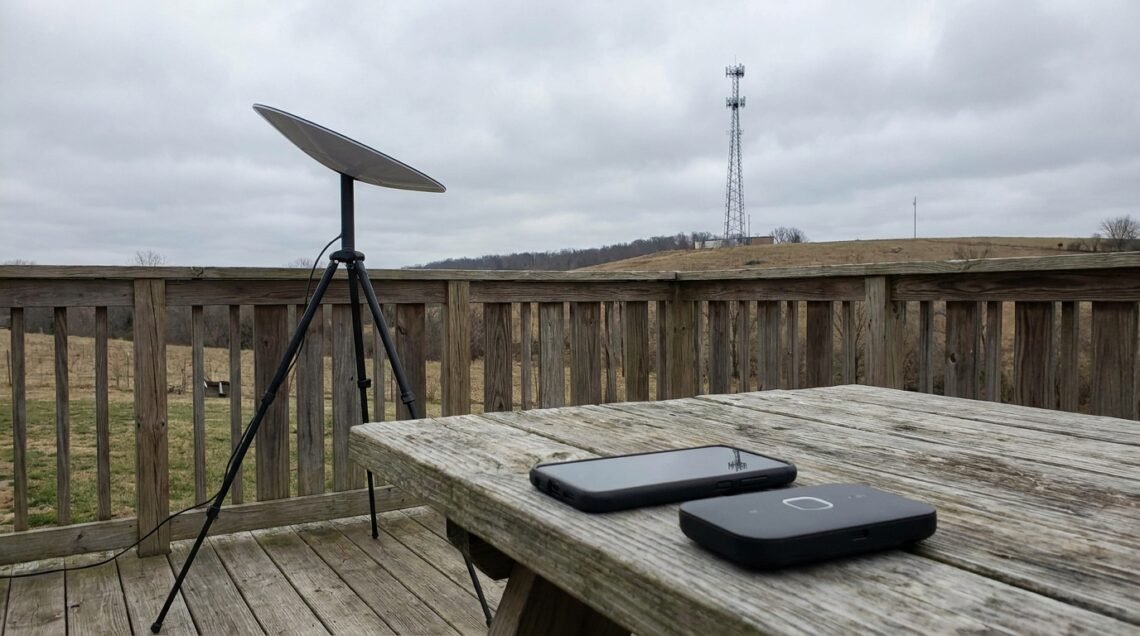
Imagine a bunch of satellites orbiting the Earth. Starlink uses a constellation of these satellites to beam internet down to a dish you install on your RV. You point that dish towards the sky, and voilà – internet. It’s a more direct route than traditional cable or DSL.
The “Roam” Plan: Designed for Mobility
Starlink offers a specific plan for RVers called “Starlink Roam” (formerly known as “Mobile”). This is the key feature that makes it a viable option for life on the road. It allows you to use your Starlink equipment in different locations.
Portability and Activation
The Roam plan is designed for portability. You can activate and deactivate service as needed, which can save you money if you’re not traveling full-time or if you know you’ll be in an area with good cellular coverage for extended periods.
Different Tiers of Roam
There are typically different tiers within the Roam plan, offering varying levels of priority for your connection. Higher priority usually means faster speeds and more consistent performance, especially during peak usage times, but at a higher cost.
What You Get with Starlink Roam
- Hardware: You’ll need to purchase the Starlink dish and a router. There are often options for a standard or a flat high-performance dish, with the latter being more robust and generally recommended for RVers due to its better performance in various conditions.
- Service: The monthly subscription fee covers your internet access. This is separate from the hardware cost.
Cellular Internet: The Familiar Choice
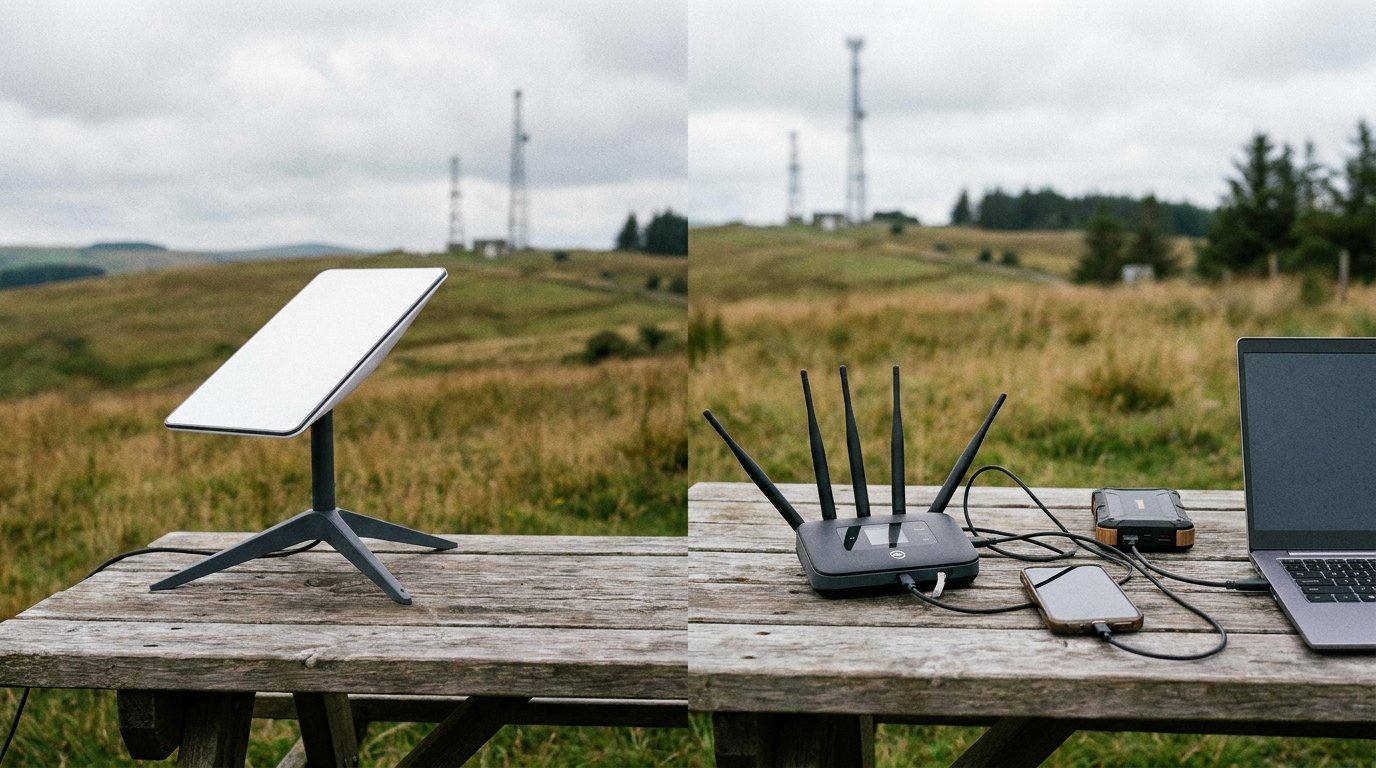
Cellular internet, using your phone’s data plan or a dedicated hotspot device, is what most people are already familiar with. For RVers, it often means leveraging existing plans or signing up for new ones.
How Cellular Works in Your RV
Your smartphone or a dedicated cellular hotspot device connects to cell towers. The closer you are to a tower, the stronger and faster your signal will likely be. It’s a well-established technology that many of us rely on daily.
Different Cellular Approaches for RVers
There are a few ways RVers typically go about using cellular internet:
Using Your Smartphone as a Hotspot
Many modern smartphones allow you to create a Wi-Fi hotspot, sharing your cellular data connection with other devices. This is often the easiest and cheapest way to get started.
Data Caps and Throttling
The biggest drawback here is data caps. Most phone plans have a limited amount of high-speed data, after which your speeds are significantly reduced, or you incur extra charges. Some plans also throttle speeds after a certain threshold, even if you haven’t hit a hard cap.
Coverage Limitations
You’re entirely dependent on your phone carrier’s coverage. If your carrier doesn’t have a strong signal in the area you’re camping, you’re out of luck.
Dedicated Cellular Hotspot Devices
These are small, portable devices that are essentially Wi-Fi routers powered by a cellular connection. They often have their own data plans.
Separate Data Plans
You’ll typically need a separate data plan for a hotspot device. These can be expensive, especially if you need a lot of data. Some “unlimited” plans still have hidden data caps or throttling.
Enhanced Antenna Options
Some hotspot devices offer the option to connect external antennas, which can significantly improve signal strength in weaker reception areas.
RV-Specific Cellular Plans and Devices
Some companies are now offering cellular plans and boosters specifically marketed towards RVers. These often come with higher data allowances or features designed for mobile use.
Mobile Hotspots and Routers
These are often more robust than basic phone hotspots and may offer better Wi-Fi range within your RV.
Signal Boosters/Amplifiers
These devices are designed to capture weak cellular signals and amplify them, making them a popular choice for RVers who frequent areas with spotty coverage.
The Importance of Data Allowances
This is where cellular can really get tricky for RVers. If you’re just checking email, your plan might be fine. But if you’re streaming, video conferencing, or downloading anything substantial, you’ll burn through data quickly.
Unlimited Plans: Are They Truly Unlimited?
Many “unlimited” cellular plans are not truly unlimited. They often have a high-speed data threshold. After you hit that threshold, your speeds are drastically reduced, or you might be deprioritized during network congestion. This can make video calls or streaming impossible.
Deprioritization
Even on plans that claim to be unlimited, your data might be “deprioritized” compared to regular phone users during times of high network traffic. This means your speeds could slow down significantly when you need them most.
Performance: Speed, Latency, and Consistency
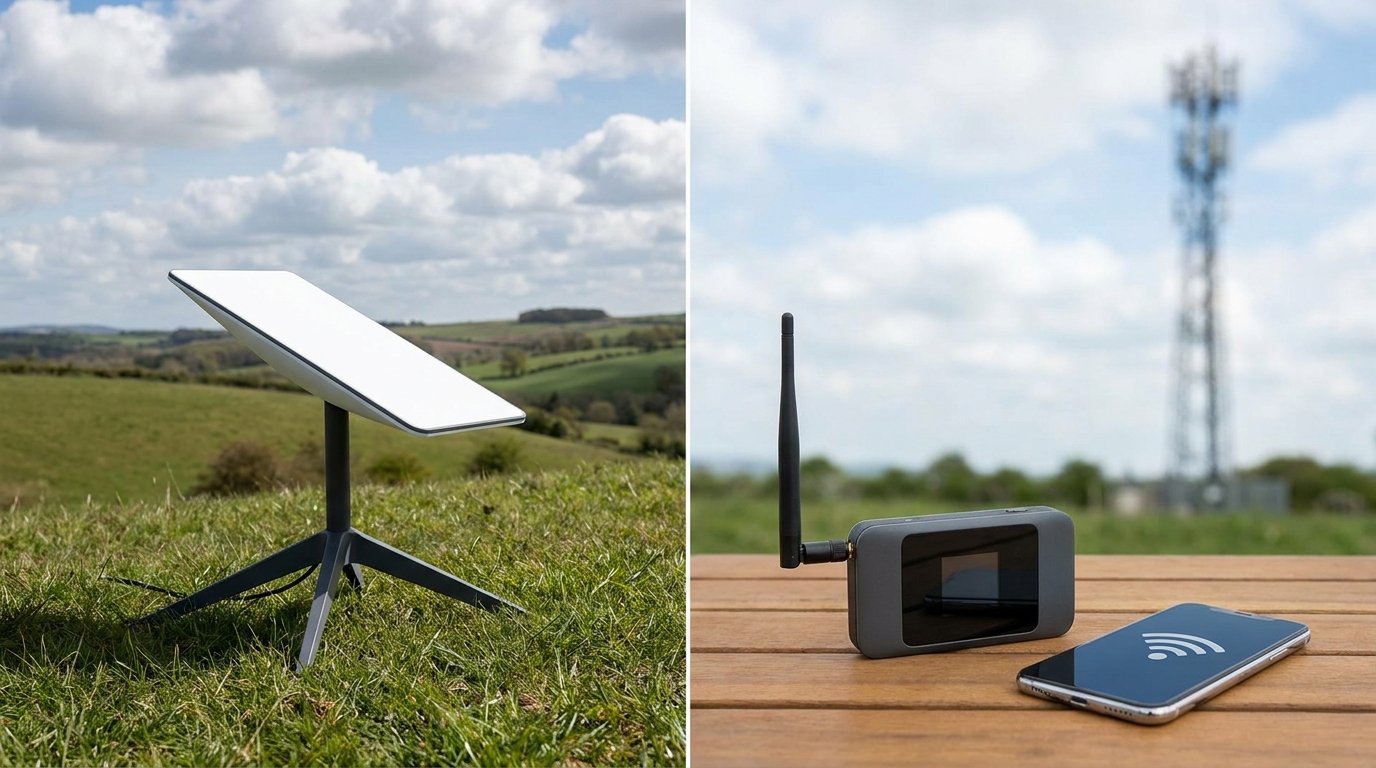
This is where the rubber meets the road. How fast and reliable is the internet? This is crucial for everything from a smooth video call to simply loading a webpage.
Starlink’s Performance Characteristics
Starlink’s performance can be a mixed bag, but generally, it offers higher potential speeds than many cellular options, especially in areas where cellular coverage is weak.
Speed Potential
Starlink can offer download speeds that rival or exceed many wired broadband connections. This is fantastic for streaming, downloading, and general browsing.
Latency
Latency, or the delay in data transmission, is a key factor for things like online gaming or real-time video conferencing. Starlink, being a satellite service, generally has higher latency than cellular, although it’s significantly better than older satellite internet technologies.
Obstructions and Line of Sight
Starlink requires a clear view of the sky. Trees, buildings, and even heavy clouds can obstruct the signal and cause intermittent service or reduced speeds. This is a significant consideration for RVers who park under canopies or in wooded areas.
Weather Impact
While Starlink is designed to be robust, extreme weather conditions like heavy snow, rain, or ice can temporarily affect performance.
Cellular Performance in RV Scenarios
Cellular performance is entirely dependent on proximity to cell towers and the carrier’s network.
Signal Strength is Key
The closer you are to a strong cell tower, the better your speeds and reliability will be. This can vary wildly from one campsite to the next.
Network Congestion
In popular RV parks or during peak hours, cellular networks can become congested, leading to significantly slower speeds for everyone.
The Role of Signal Boosters
A cellular signal booster can make a huge difference in weak signal areas. It captures the faint signal, amplifies it, and rebroadcasts it inside your RV. This can turn a unusable connection into a decent one.
Data Throttling and Deprioritization
As mentioned earlier, hitting data caps or being deprioritized can severely impact your cellular speeds, making it unreliable for demanding tasks.
When considering the best internet options for RVers, many are torn between Starlink and traditional cellular internet. Each has its own advantages and drawbacks, making it essential for travelers to evaluate their specific needs. For those looking to enhance their RV experience, it’s also important to keep up with regular maintenance and upgrades. A great resource for this is an article that outlines six essential tasks to perform on your RV every year, which can help ensure your vehicle remains in top shape while you enjoy the great outdoors. You can read more about these important maintenance tips in this article: six things you should do to your RV every year.
Cost: Hardware, Subscriptions, and Data
| Metrics | Starlink | Cellular Internet |
|---|---|---|
| Speed | Up to 150 Mbps | Varies based on network coverage |
| Latency | Average 20-40 ms | Varies based on network congestion |
| Reliability | High, especially in remote areas | Dependent on network coverage and congestion |
| Cost | 99 per month for service | Varies based on data plan and provider |
| Installation | Requires a satellite dish setup | Requires a compatible router or hotspot |
Let’s talk about the elephant in the room: money. Both Starlink and cellular internet come with different cost structures.
Starlink’s Upfront and Recurring Costs
Starlink has a significant upfront cost for the hardware.
Hardware Purchase
You’ll need to buy the Starlink dish, mount, and router. This can be a few hundred dollars, and prices can fluctuate. Look for deals or refurbished options if you want to save money.
Monthly Subscription
The monthly subscription fee for Starlink Roam can be comparable to or higher than some high-data cellular plans, but it often offers more consistent speeds and data capacity for the price, especially in remote locations.
Portability and Deactivation Savings
The ability to pause and resume service with the Roam plan can lead to significant savings if you’re not traveling constantly or if you have periods where you don’t need internet.
Cellular Internet Costs: A Varied Landscape
Cellular costs are more diverse and can be harder to pin down.
Smartphone Data Plans
If you’re using your phone’s hotspot, you’re already paying for that data. If you need to upgrade your plan for more data, it will increase your monthly bill.
Dedicated Hotspot Data Plans
These can be expensive. Some carriers offer plans specifically for hotspots, but these often come with strict data limits or high costs per gigabyte.
Unlimited Plans: Hidden Costs
Be wary of “unlimited” plans. The cost of unlimited data on a phone plan might be reasonable, but if your speeds are throttled to unusable levels after a certain point, it’s not truly unlimited in terms of performance.
Device Costs
If you opt for a dedicated hotspot device, you’ll have the cost of purchasing the hardware, which can range from under $100 to several hundred dollars depending on the model and features.
Signal Boosters
If you decide to invest in a cellular signal booster, that’s another upfront cost to consider. These can range from a couple of hundred dollars to over $500 for high-end systems.
When considering internet options for RVers, the debate between Starlink and cellular internet is a hot topic. Many travelers are looking for reliable connectivity while on the road, and understanding the pros and cons of each option is essential. For those interested in a deeper dive into this subject, you can check out a related article that explores the nuances of these technologies and how they cater to the unique needs of RV enthusiasts. If you want to learn more about the differences and make an informed decision, visit this helpful resource.
Making the Choice: Which is Right for You, Starlink vs Cellular Internet ?
There’s no single “best” answer, only the best answer for your RVing style. Consider these factors when making your decision.
The Remote Wanderer: Prioritizing Connectivity Anywhere
If your primary goal is to be able to connect no matter where you are, even in the most remote corners of the country, Starlink is likely your top contender.
The Need for Off-Grid Access
Starlink’s ability to function in areas without any cellular signal is its biggest advantage for truly off-grid RVers.
Tolerance for Setup and Mobility Considerations
You need to be comfortable with the setup process (mounting the dish securely) and understanding that you’ll need to stow and deploy it regularly.
The Hybrid RVer: Balancing Coverage and Cost
Many RVers find a hybrid approach works best, using both Starlink and cellular as needed.
Leveraging Cellular When Available
When you’re in an area with excellent cellular coverage, you might rely on your cheaper cellular plan and save your Starlink data or keep it for backup.
Starlink as a Backup or for Remote Work
Starlink can then be your go-to for working remotely in areas where cellular is weak or for streaming when you’ve hit your cellular data cap.
The Cost-Benefit of Two Systems
This approach requires managing two systems and potentially two bills, but it offers the most flexibility and reliability.
The Budget-Conscious Traveler: Maximizing Value
If budget is a primary concern, you’ll need to carefully weigh the costs against your needs.
Assessing Your Actual Data Usage
Be honest about how much data you really use. If it’s minimal, a basic cellular plan might be sufficient.
The Upfront Cost Factor
Starlink’s hardware cost is a significant barrier for some. If you’re on a tight budget, you might need to stick with cellular and look for deals on data plans.
Long-Term Savings of Portability
However, if you’re a full-time RVer who travels extensively, the ability to pause Starlink service can lead to long-term savings compared to a constant monthly cellular bill.
Your Internet Usage Profile: A Final Check
Let’s revisit that first section.
Are You Streaming 4K Movies Constantly?
If yes, Starlink’s higher potential speeds and less restrictive data allowances (depending on the plan) might be essential.
Do You Need Rock-Solid Video Calls for Work?
High latency from Starlink could be an issue for very sensitive real-time applications, but for most video calls, it’s generally acceptable. Cellular might be better if the signal is strong and stable.
Are You Just Browsing and Checking Email?
If this is your main use case, even a basic cellular plan or a low-cost data plan on a hotspot might be perfectly adequate.
Ultimately, the decision between Starlink and cellular internet for your RV boils down to your personal travel style, your internet needs, and your budget. There’s no one-size-fits-all answer, but by understanding the pros and cons of each, you can make an informed choice that keeps you connected and enjoying your adventures.
FAQs
1. What is Starlink and how does it work?
Starlink is a satellite internet constellation being constructed by SpaceX to provide satellite Internet access across the globe. It works by using a network of low Earth orbit satellites to provide high-speed, low-latency internet service to users.
2. How does cellular internet for RVers work?
Cellular internet for RVers works by using a cellular data plan from a mobile carrier to access the internet. RVers can use a mobile hotspot device or a cellular-enabled router to connect their devices to the internet using the cellular network.
3. What are the advantages of Starlink for RVers?
The advantages of Starlink for RVers include its ability to provide internet access in remote areas where cellular coverage may be limited, its high-speed and low-latency performance, and its potential for more consistent connectivity while traveling.
4. What are the advantages of cellular internet for RVers?
The advantages of cellular internet for RVers include its widespread coverage in populated areas, the ability to easily switch between different carriers for better coverage, and the availability of affordable data plans from various mobile carriers.
5. What are the limitations of Starlink and cellular internet for RVers?
The limitations of Starlink for RVers include its reliance on clear line of sight to the satellites, potential for service interruptions during bad weather, and the need for a clear view of the sky for the satellite dish. The limitations of cellular internet for RVers include limited coverage in remote areas, potential for network congestion in crowded areas, and the possibility of data caps and throttling on some plans.