
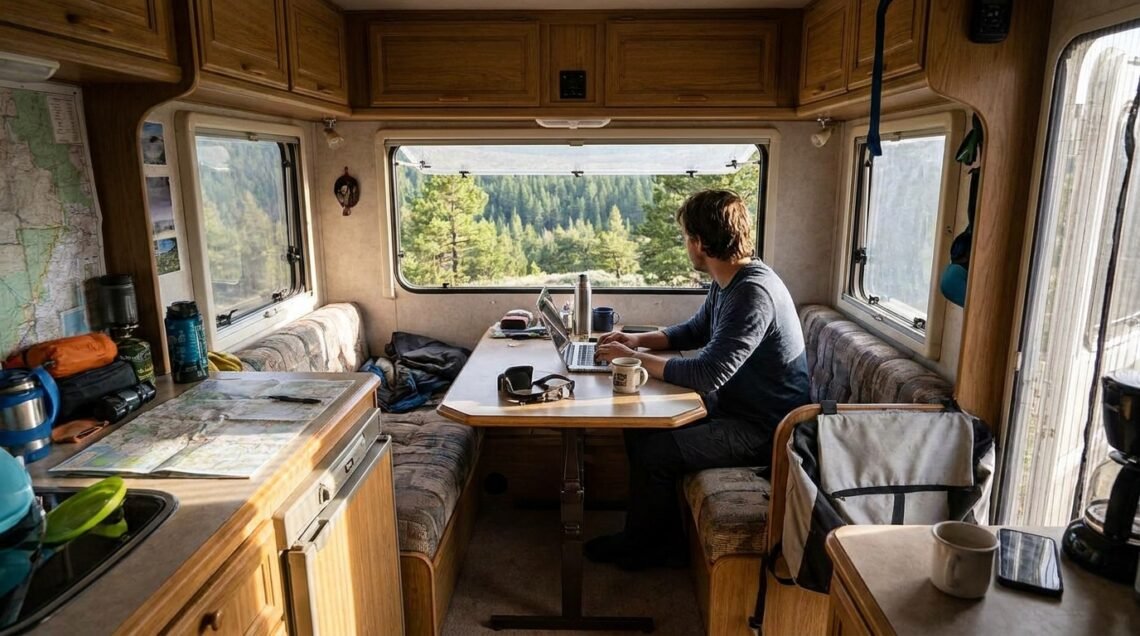
Thinking about trading in your desk chair for a driver’s seat and your office walls for rolling landscapes? Working from an RV is definitely doable, and it’s becoming more popular than ever. The key is planning ahead and focusing on a few critical areas, especially internet connectivity and setting up a functional workspace.
Getting Your Internet Just Right: The Non-Negotiable
Table of Contents
Let’s be honest, without reliable internet, your RV office is going to be a very quiet place. This is where most people trip up, and it’s the single most important thing to get sorted. Forget about assuming campground Wi-Fi will save you; it’s more of a nice bonus if it works well.
Cellular is King (For Now)
The consensus these days is to build your primary internet around cellular data. This means getting a good cellular hotspot device, or even better, a system that can aggregate multiple cellular signals.
- Multiple Carriers are Your Friend: Don’t put all your eggs in one basket. Having service with more than one major carrier (think Verizon, AT&T, T-Mobile) is hugely beneficial. Sometimes one network is strong where another is weak, and vice-versa. This multi-network approach gives you the best chance of staying connected, even in more remote areas.
- Choosing Your Hardware: You’ll want a capable hotspot or a router with multiple SIM card slots. Some RVers even opt for roof-mounted antennas that boost cellular signals. Do your research on what works best for the carriers you plan to use and the types of areas you expect to frequent.
- Data Plans to Consider: Be aware of data caps. Many plans have them, and you can chew through data surprisingly fast with video calls and large file transfers. Look for plans with high data allowances or unlimited options, but read the fine print regarding throttling after a certain usage threshold.
Satellite as the Reliable Backup
While cellular is the go-to, what happens when you’re really off the beaten path or a cellular tower goes down? That’s where satellite internet comes in.
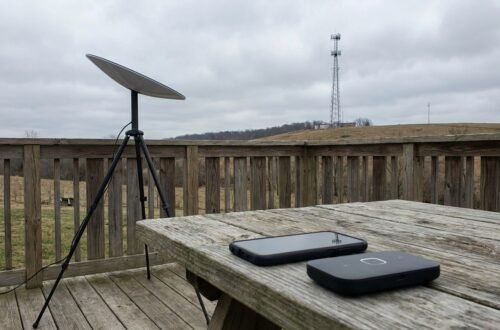
- The Rise of Starlink: For many, Starlink has become the game-changer. It offers speeds that can rival terrestrial broadband in many areas. It’s a more significant upfront investment, and you’ll need to consider power consumption and mounting it securely, but for true remote work, it’s hard to beat.
- Other Satellite Options: There are other satellite providers, but historically they’ve been slower or more expensive. Starlink has significantly shifted the landscape for RVers needing reliable, high-speed internet anywhere.
- The “Switching” Strategy: Many people use a combination: cellular as their primary for day-to-day work, and then switch to satellite when cellular coverage drops or is too slow for critical tasks. It requires a bit of manual switching or a more advanced router system, but it provides a robust fallback.
Campground Wi-Fi: A Happy Accident
Campground Wi-Fi can be great, terrible, or non-existent. Don’t plan your work around it. Use it if it’s available and fast, but always have your cellular and satellite backups ready to go. It’s a nice-to-have, not a must-have.
Designing Your Mobile Office: Comfort and Productivity
You’re not just living in your RV; you’re working in it. This means thinking about your workspace like you would in a traditional office. Clutter and discomfort will kill your productivity.
Dedicated Work Zones
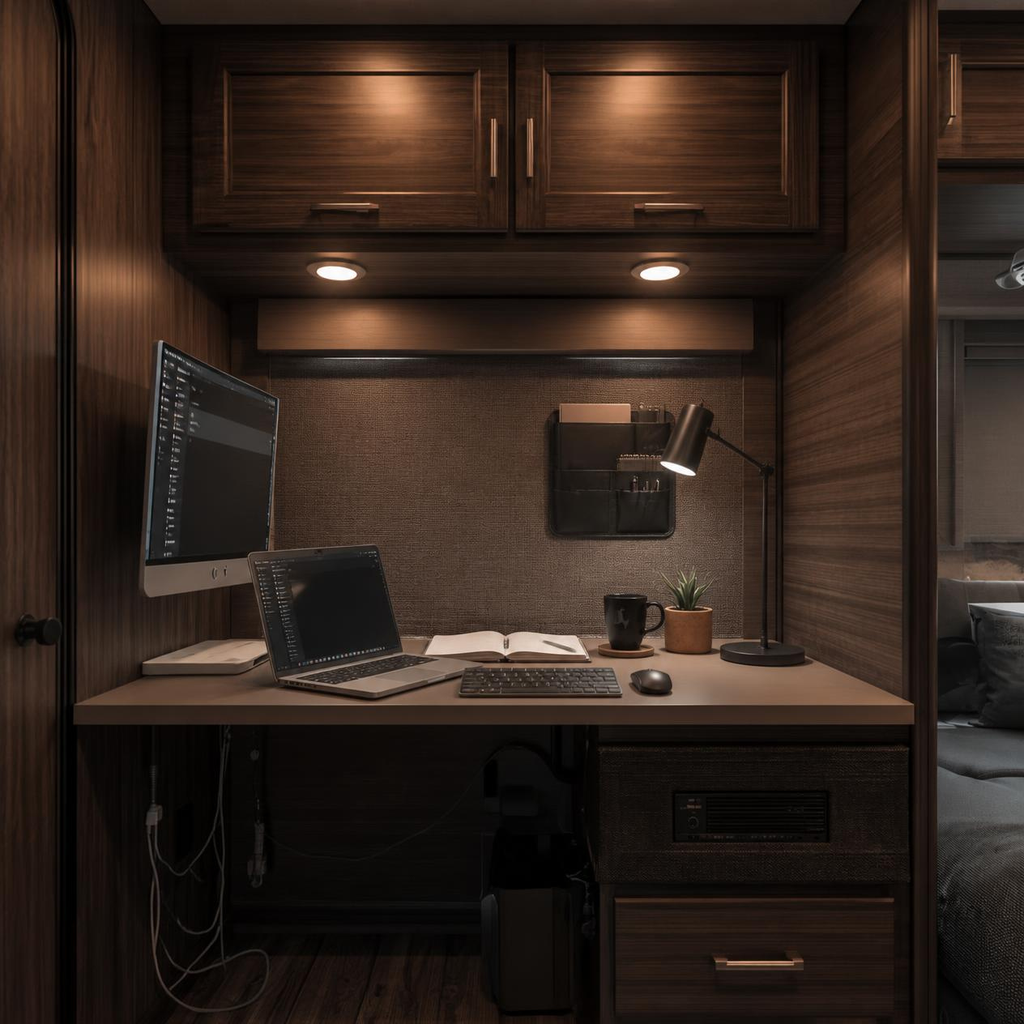
The idea of working from your couch is appealing, but it’s usually not sustainable for a full workday.
- The Table is Not Enough: While you might start by working at your dinette table, it’s worth considering a more permanent or dedicated setup. This could be a small desk that folds down, a built-in workstation, or even repurposing a cabinet.
- Ergonomics Matter: Just because you’re in an RV doesn’t mean you should ignore your back and wrists. Invest in a good chair if possible, or at least a comfortable seat cushion and lumbar support. Position your monitor at eye level.
- Storage Solutions: Keeping your workspace tidy is crucial. Utilize overhead cabinets, drawers, and wall-mounted organizers to keep papers, cables, and office supplies out of sight when not in use. A cluttered desk leads to a cluttered mind.
Minimizing Distractions
RV living is inherently about less structure and more freedom, which is great, but it can also mean more distractions.
- Soundproofing (Sort Of): RVs aren’t known for their sound insulation. If you have noisy neighbors or travel companions, consider noise-canceling headphones. If you need absolute quiet for calls, you might need to be creative.
- Visual Clutter: Try to keep your immediate work area as clean as possible. When you’re done for the day, pack away your work materials. This helps create a mental separation between work and leisure time.
Powering Your Setup
RVs have unique power considerations. You’ll need to ensure you can run your laptop, monitor, hotspot, and any other essential electronics.
- Inverter Needs: If you’re running on batteries and inverter power, know your wattage needs. Laptops and monitors aren’t usually power-hungry, but multiple devices can add up.
- Shore Power vs. Battery: Understand when you’ll be on shore power (plugged into an electric source) and when you’ll be running off your RV’s battery bank. This will dictate how much you can run and for how long. Solar panels can be a huge help in extending your battery life.
Mastering Your Remote Work Routine on the Road
The freedom of the open road is a major draw, but it can also blur the lines between work and vacation. Establishing a solid routine is key to actually getting work done.
Setting Firm Boundaries
This is where a lot of people struggle. Without a boss looking over your shoulder or colleagues around, it’s easy for work to creep into all hours.
- Hard Start and Stop Times: Treat your RV workday like you would any other job. Set a specific time to start and, importantly, a specific time to stop. This helps prevent burnout and ensures you have time to enjoy your surroundings.
- Separate Driving from Working: Don’t try to work while you’re driving or immediately after setting up camp if you’re exhausted. Driving is a task that requires your full attention. Plan your travel days so you arrive at your destination with enough energy to set up and, if necessary, start work the next day.
- Time Zone Management: This can be a headache, especially if you’re working with clients or colleagues in different time zones. Be extra diligent about communicating your availability and confirming meeting times. Using a world clock app can be a lifesaver.
Maintaining Productivity on the Move
The constant change of scenery can be both inspiring and distracting.
- Pre-Plan Your Moves: If you know you have a big deadline coming up, maybe avoid moving on that day or the day before. Schedule your travel for days when your workload is lighter or when you can afford to be a bit less productive.
- Utilize Down Time: If you’re stuck at a campground for a few days waiting for a particular weather window or a delivery, that can be perfect for catching up on work.
- The “Commute” is Different: Your “commute” might be walking from your bedroom to your dedicated workspace, or it might involve driving to a coffee shop with better Wi-Fi. Factor this into your daily schedule.
Conquering Video Calls from Anywhere
Video calls are a staple of remote work, and doing them from an RV presents its own set of challenges. The key is to be prepared and proactive.
Finding Your Quiet Zone
The background of your video call can make or break the professional impression.
- The “Other Room” Strategy: If your RV has a separate area (like a dinette that can be closed off or a tow vehicle), use it. Even a slightly more private nook can help.
- Tow Vehicle as an Office: Many people use their towed car or truck as a temporary office for important calls. It offers a distinct physical space and can be quieter than the main living area.
- Outdoor Office (Weather Permitting): On nice days, an outdoor table with a stable surface and good lighting can work, but be mindful of wind noise and potential interruptions.
- Blurred Backgrounds and Filters: Most video conferencing software has options for blurring your background or using virtual backgrounds. This is your friend. It helps mask any RV-specific clutter or the potentially less-than-ideal backdrop.
- Test Your Setup: Before an important call, do a test run. Check your audio, video, and background. Make sure your internet connection is stable.
Managing Audio Quality
Beyond the visual, good audio is essential.
- Headphones with Microphones: Invest in a good pair of headphones with a built-in microphone. This significantly improves audio clarity and reduces background noise for both you and the people you’re talking to.
- Minimize Ambient Noise: Close windows and doors if you can. Turn off fans or anything else that creates a constant hum. Let people know if you’re in a potentially noisy environment and are using noise-canceling features.
If you’re considering the RV lifestyle while working remotely, it’s important to ensure that your mobile office is equipped with reliable power sources. A great resource for this is the article on Best RV solar kits for beginners, transforms your RV experience by powering appliances, charging devices, and keeping you connected. You can read more about it here. This knowledge will not only enhance your working experience on the road but also give you peace of mind as you navigate your new lifestyle.
The “Work From RV” Movement: It’s Here to Stay
What used to be a niche pursuit is now a recognized and growing lifestyle. The RV industry and the remote work world are both adapting.
A Broader Trend
More people are realizing that remote work doesn’t have to mean being tied to one location. RVing offers the ultimate flexibility.
- Increased Compatibility: Manufacturers are building RVs with remote workers in mind, offering features like built-in desks, better power management systems, and more integrated tech.
- Community and Resources: There’s a growing community of “digital nomads” and RV workers. Online forums, social media groups, and blogs offer a wealth of information, tips, and support.
Embracing the Lifestyle
It’s not just about fitting work into an RV; it’s about integrating the RV lifestyle into your work.
- Work to Live, Not Live to Work: The goal is often to use your work to fund an adventurous lifestyle, not to have your work consume you. This means finding a balance that allows you to explore new places and enjoy your surroundings.
- Flexibility is Key: Be prepared for things to not always go according to plan. The beauty of RVing is the ability to adapt. Whether it’s a change in weather, a road closure, or a connectivity issue, being able to roll with the punches is crucial.
Starting Out: Ease Into It
Jumping headfirst into full-time RV work might feel daunting, and for good reason. A more gradual approach can set you up for success.
Short Trips First
Before selling everything and hitting the road permanently, try it out.
- Weekend Warriors or Week-Long Stays: Take your RV out for a weekend or a week specifically to work from it. This is your chance to test your internet setup, your workspace, and your routine in a lower-stakes environment.
- Identify What Works (and What Doesn’t): You’ll quickly learn what challenges you face. Is your internet consistently cutting out? Is your chair uncomfortable after a few hours? Is it hard to find quiet time? These early trips will give you valuable insights.
Gradual Transition
Once you’ve gotten a feel for it, you can gradually increase your time on the road.
- Extended Trips: Move from week-long trips to month-long excursions. This allows you to experience longer stretches of RV work life and iron out more kinks.
- Part-Time RVing: Some people find a good balance by RVing for part of the year and staying in a more traditional home for the rest. This can be a great way to ease into the lifestyle and maintain stability.
Working from an RV is an incredible opportunity to combine your career with the freedom of travel. By focusing on a robust internet strategy, a comfortable and functional workspace, and a disciplined routine, you can make the mobile office a reality. It takes planning and a willingness to adapt, but the rewards are immense.
FAQs
1. What are the benefits of working from an RV?
Working from an RV allows for flexibility in travel, the ability to work in a variety of scenic locations, and the opportunity to save money on traditional housing costs.
2. What are the challenges of working from an RV?
Challenges of working from an RV include limited space, potential connectivity issues, and the need for self-discipline to balance work and leisure time.
3. What are the essential tools and equipment for working from an RV?
Essential tools and equipment for working from an RV include a reliable mobile internet connection, a comfortable and ergonomic workspace, and a power source such as a generator or solar panels.
4. How can one maintain a work-life balance while working from an RV?
Maintaining a work-life balance while working from an RV involves setting boundaries, establishing a routine, and making time for leisure activities and exploration.
5. What are some popular destinations for RV remote work?
Popular destinations for RV remote work include national parks, beachfront locations, and scenic mountain areas. Some RVers also enjoy traveling to different cities and attending co-working spaces or RV-friendly campgrounds with reliable internet access.



One comment on “Working From an RV: The Complete Guide”